

By Pankaj Kumar and Manikandan Kurup
Introduction
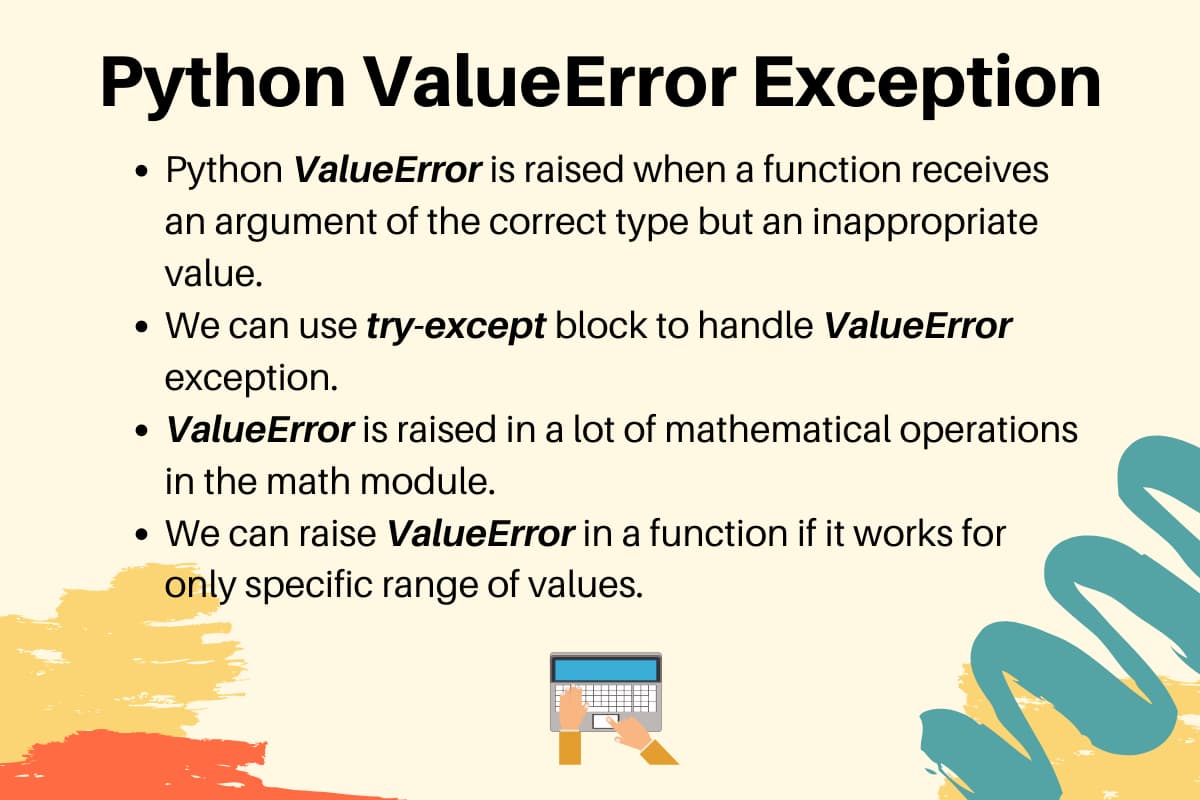
Python raises a ValueError when a function receives an argument of the correct type but an inappropriate value. It shows up everywhere from type conversions and math operations to unpacking and custom input validation, and it is one of the most common exceptions you will encounter in day-to-day Python development.
In this tutorial, you will learn what triggers a ValueError, where it fits in the Python exception hierarchy, and how to handle, raise, and log it correctly. You will work through practical examples covering conversion failures, unpacking errors, real-world input validation, and production-grade logging, and finish with best practices that apply across all of your Python projects.
Key Takeaways:
ValueErroris raised when a function receives the correct type but an inappropriate value, such as passing"hello"toint().- It sits directly under
Exceptionin the hierarchy, withUnicodeErroras its only built-in subclass. - Use
except ValueError:rather thanexcept Exception:or a bareexcept:to avoid masking unrelated bugs. - When raising
ValueErrorin your own functions, include a descriptive message with the actual value that caused the failure. - Use
raise ValueError(...) from eto chain exceptions and preserve the original traceback for easier debugging. - Replace
print()withlogging.exception()in production code to capture both the error message and the full stack trace. - Python 3.11 introduced
ExceptionGroupandexcept*syntax for handling multiple simultaneous exceptions in async contexts. StandardValueErrorhandling is unchanged.
Deploy your Python applications from GitHub using DigitalOcean App Platform. Let DigitalOcean focus on scaling your app.
Prerequisites
To follow this tutorial, you will need:
- Python 3.7 or later installed on your local machine or server.
- Familiarity with basic Python syntax, including functions, imports, and running scripts from the command line.
What Is a Python ValueError?
ValueError?ValueError is raised when a function receives a value of the correct type but one that is inappropriate for the operation. The classic example is passing a non-numeric string to int().
try:
    number = int("hello")
except ValueError as e:
    print(f"Caught a ValueError: {e}")
The output is:
Caught a ValueError: invalid literal for int() with base 10: 'hello'
The string "hello" has the correct type (str) for int(), but its value is not a valid integer. That distinction between wrong type and wrong value is what separates ValueError from TypeError.
Where ValueError Sits in the Python Exception Hierarchy
Understanding where ValueError fits in the exception hierarchy helps you write more precise handlers. All Python exceptions inherit from BaseException. Most application-level exceptions inherit from Exception, which is a direct subclass of BaseException.
Here is a simplified view of the hierarchy, focused on the exceptions you are most likely to encounter alongside ValueError:
BaseException
└── Exception
    ├── ArithmeticError
    │   └── ZeroDivisionError, OverflowError, FloatingPointError
    ├── LookupError
    │   └── IndexError, KeyError
    ├── TypeError
    ├── ValueError
    │   └── UnicodeError
    │       └── UnicodeDecodeError, UnicodeEncodeError, UnicodeTranslateError
    └── (many others)
ValueError sits directly under Exception. Its only built-in subclass is UnicodeError, which groups Unicode-specific encoding and decoding failures. When you write except ValueError:, you catch ValueError and any of its subclasses, including the UnicodeError family. Sibling exceptions such as KeyError live under LookupError instead.
For the complete hierarchy, see the Python Built-in Exceptions documentation.
ValueError vs TypeError vs AttributeError: Key Differences
These three exceptions are frequently confused. The table below shows how to tell them apart.
| Exception | Raised when | Example |
|---|---|---|
ValueError |
Correct type, but the value is inappropriate | int("abc"), math.sqrt(-1) |
TypeError |
Wrong type entirely | "hello" + 5, len(42) |
AttributeError |
Attribute or method does not exist on object | "hello".push("x") |
A useful rule of thumb: if you pass a string where a string is expected but the content is wrong, that is a ValueError. If you pass a string where an integer is expected, that is a TypeError.
Common Causes of ValueError in Python
ValueError in PythonIn the following subsections, we will discuss some of the most common causes of ValueError that you will encounter.
Type Conversion Failures with int(), float(), and complex()
The most frequent source of ValueError is trying to convert a string that does not represent a valid number.
try:
    int("hello")
except ValueError as e:
    print(f"int(): {e}")

try:
    float("not a number")
except ValueError as e:
    print(f"float(): {e}")

try:
    complex("abc")
except ValueError as e:
    print(f"complex(): {e}")
The output is:
int(): invalid literal for int() with base 10: 'hello'
float(): could not convert string to float: 'not a number'
complex(): complex() arg is a malformed string
Unpacking Errors: Too Many or Too Few Values
Python raises ValueError when the number of values in an iterable does not match the number of variables on the left side of the assignment.
try:
    a, b = 1, 2, 3
except ValueError as e:
    print(f"Too many: {e}")

try:
    x, y, z = [1, 2]
except ValueError as e:
    print(f"Too few: {e}")
The output is:
Too many: too many values to unpack (expected 2)
Too few: not enough values to unpack (expected 3, got 2)
Math Domain Errors with math.sqrt() and math.log()
The math module raises ValueError when you pass a value that is outside the valid domain for an operation.
import math

try:
    math.sqrt(-1)
except ValueError as e:
    print(f"sqrt: {e}")

try:
    math.log(-1)
except ValueError as e:
    print(f"log: {e}")
The output is:
sqrt: math domain error
log: math domain error
Note that math.sqrt(-1) raises ValueError rather than returning a complex number because the math module works with real numbers only. If you need complex arithmetic, use the cmath module instead.
Invalid Literal for int() with Base
The int() function accepts an optional second argument to specify the numeric base. If the string does not match that base, Python raises ValueError.
try:
    result = int("FF", 16)
    print(f"int('FF', 16) = {result}")

    int("FF", 10)
except ValueError as e:
    print(f"int('FF', 10): {e}")

try:
    int("2", 2)
except ValueError as e:
    print(f"int('2', 2): {e}")
The output is:
int('FF', 16) = 255
int('FF', 10): invalid literal for int() with base 10: 'FF'
int('2', 2): invalid literal for int() with base 2: '2'
'FF' is a valid hexadecimal (base 16) value but not a valid base-10 literal. Similarly, '2' is not a valid digit in binary (base 2), where only 0 and 1 are allowed.
How to Handle ValueError with try and except
ValueError with try and exceptIn the previous section, we looked at the common causes of ValueError. Now you will learn how to handle them.
Basic try/except ValueError Pattern
The standard pattern is to wrap the risky operation in a try block and handle the failure in an except ValueError: block.
import math

try:
    x = int(input("Please enter a positive number: "))
    result = math.sqrt(x)
    print(f"Square root of {x} is {result}")
except ValueError:
    print("Invalid input. Please enter a positive integer.")
To inspect the original error message, assign the exception to a variable with as:
try:
    number = int(input("Enter a number: "))
except ValueError as e:
    print(f"Could not convert input to an integer: {e}")
Catching Multiple Exceptions in One Block
If multiple exception types can occur and you want to handle them the same way, group them in a tuple inside a single except clause.
import math

try:
    x = int(input("Enter a positive number: "))
    result = math.sqrt(x)
    print(f"Square root of {x} is {result}")
except (ValueError, TypeError) as e:
    print(f"Invalid input: {e}")
This is cleaner than writing two separate except blocks when the handling logic is identical.
Using else and finally with try/except
The else block runs only if the try block completes without raising an exception. The finally block always runs, regardless of whether an exception occurred. Both are optional.
try:
    number = int(input("Enter a number: "))
except ValueError:
    print("That is not a valid integer.")
else:
    print(f"Successfully parsed: {number}")
finally:
    print("Input processing complete.")
Use else for code that should only execute on success, and finally for cleanup tasks like closing files or database connections.
Comparing except ValueError, except Exception, and bare except
Choosing the right exception scope matters. Overly broad handlers can mask bugs that have nothing to do with the error you intended to catch.
| Pattern | What it catches | When to use |
|---|---|---|
except ValueError: |
ValueError and its subclasses only |
When you know exactly what can fail |
except Exception: |
All non-system-exiting exceptions | Top-level error boundaries, logging catch-alls |
bare except: |
Everything, including SystemExit and KeyboardInterrupt |
Almost never |
A bare except: clause can swallow signals like KeyboardInterrupt, which prevents users from stopping the program with Ctrl+C. Always prefer except ValueError: or, at most, except Exception:.
How to Raise ValueError in Your Own Code
ValueError in Your Own CodeSometimes you want your functions to signal that an argument or input is invalid, even if it has the right type. In these cases, raising a ValueError is a clear way to communicate that the problem lies with the specific value provided.
Raising ValueError with a Custom Message
You can raise ValueError yourself using the raise statement. Always include a descriptive message that tells the caller exactly what went wrong and what value caused the failure.
def set_discount(percent):
    if percent < 0 or percent > 100:
        raise ValueError(f"Discount must be between 0 and 100, got {percent}")
    return percent

try:
    set_discount(150)
except ValueError as e:
    print(e)

print(set_discount(20))
The output is:
Discount must be between 0 and 100, got 150
20
Raising ValueError Inside a Function for Input Validation
A reliable pattern is to validate arguments at the top of a function before doing any real work. This keeps the happy path clean and makes errors easy to diagnose.
import math


def calculate_square_root(number):
    if not isinstance(number, (int, float)):
        raise TypeError(f"Expected a number, got {type(number).__name__}")
    if number < 0:
        raise ValueError(f"Cannot calculate square root of a negative number: {number}")
    return math.sqrt(number)


print(calculate_square_root(25))

try:
    calculate_square_root(-4)
except ValueError as e:
    print(e)

try:
    calculate_square_root("25")
except TypeError as e:
    print(e)
The output is:
5.0
Cannot calculate square root of a negative number: -4
Expected a number, got str
The function raises TypeError for the wrong type and ValueError for a value that fails the domain check. This distinction makes it easier for callers to handle the two failure modes separately if needed.
Exception Chaining with raise ... from
When you catch a low-level exception and re-raise a more descriptive one, use raise ... from to attach the original exception as context. Python displays both in the traceback with a “The above exception was the direct cause” message, which makes debugging much faster.
def parse_user_id(raw_input):
    try:
        user_id = int(raw_input)
    except ValueError as e:
        raise ValueError(
            f"Invalid user ID '{raw_input}': must be a whole number"
        ) from e
    if user_id <= 0:
        raise ValueError(f"User ID must be a positive integer, got {user_id}")
    return user_id


try:
    parse_user_id("abc")
except ValueError as e:
    print(f"Error: {e}")
    print(f"Caused by: {e.__cause__}")

print(parse_user_id("42"))
The output is:
Error: Invalid user ID 'abc': must be a whole number
Caused by: invalid literal for int() with base 10: 'abc'
42
Python ValueError in Real-World Scenarios
ValueError in Real-World ScenariosIn real-world programming, ValueError frequently surfaces in everyday situations, from validating user input to parsing data from files, APIs, and more. The sections below cover common, practical patterns for handling these errors robustly.
Handling User Input Validation
A robust input loop keeps asking until it receives a valid value rather than crashing on the first bad input.
def get_positive_integer(prompt):
    while True:
        try:
            value = int(input(prompt))
            if value <= 0:
                raise ValueError(f"Expected a positive integer, got {value}")
            return value
        except ValueError as e:
            print(f"Invalid input: {e}. Please try again.")


quantity = get_positive_integer("Enter quantity: ")
print(f"You ordered {quantity} item(s).")
The loop catches ValueError from both int() (non-numeric input) and the explicit raise (non-positive numbers), and prompts the user again in both cases.
Parsing and Converting Data from Files or APIs
When reading data from external sources, you often need to convert strings to typed values and handle malformed data gracefully.
def extract_price(api_response):
    try:
        price = float(api_response["price"])
    except (ValueError, KeyError) as e:
        raise ValueError(f"Could not extract price from response: {e}") from e
    if price < 0:
        raise ValueError(f"Price cannot be negative, got {price}")
    return price


print(extract_price({"price": "19.99"}))

try:
    extract_price({"price": "N/A"})
except ValueError as e:
    print(e)
The output is:
19.99
Could not extract price from response: could not convert string to float: 'N/A'
If api_response["price"] is missing or contains a non-numeric string, the function raises an informative ValueError that includes the original low-level error as context.
Using ValueError in Class and Method Validation
Validating values in __init__ prevents objects from ever existing in an invalid state, which saves you from harder-to-debug runtime errors later on.
class Rectangle:
    def __init__(self, width, height):
        if width <= 0:
            raise ValueError(f"Width must be positive, got {width}")
        if height <= 0:
            raise ValueError(f"Height must be positive, got {height}")
        self.width = width
        self.height = height

    def area(self):
        return self.width * self.height


r = Rectangle(10, 5)
print(r.area())

try:
    r = Rectangle(-3, 5)
except ValueError as e:
    print(e)
The output is:
50
Width must be positive, got -3
Logging ValueError Exceptions in Production
ValueError Exceptions in ProductionUsing print() to report errors works in development but falls short in production. The standard logging module gives you control over severity levels, output destinations, and message formatting without changing any of your exception handling logic. For a full introduction, see How To Use Logging in Python 3.
Using the logging Module Instead of print()
logging.error() records an error-level message with a timestamp and severity label, and it writes to whichever handler you have configured.
import logging

logging.basicConfig(
    level=logging.ERROR,
    format="%(asctime)s %(levelname)s %(message)s"
)


def parse_quantity(value):
    try:
        return int(value)
    except ValueError:
        logging.error("Failed to parse quantity from value: %r", value)
        return None


result = parse_quantity("abc")
print(f"Result: {result}")
The output is:
2024-01-15 10:23:45,123 ERROR Failed to parse quantity from value: 'abc'
Result: None
Capturing Stack Traces with logging.exception()
logging.exception() works like logging.error() but also appends the full stack trace. Use it inside an except block whenever you need to record exactly where and why the error occurred.
import logging

logging.basicConfig(
    level=logging.DEBUG,
    format="%(asctime)s %(levelname)s %(message)s"
)


def process_order(raw_quantity):
    try:
        quantity = int(raw_quantity)
        print(f"Processing order for {quantity} item(s)")
    except ValueError:
        logging.exception("Invalid quantity received: %r", raw_quantity)


process_order("two")
The output is:
2024-01-15 10:23:45,123 ERROR Invalid quantity received: 'two'
Traceback (most recent call last):
  File "example.py", line 11, in process_order
    quantity = int(raw_quantity)
ValueError: invalid literal for int() with base 10: 'two'
Calling process_order("two") logs the error message followed by the full traceback, making it straightforward to pinpoint the failing line in a production log file.
Python Exception Handling Best Practices
Effective exception handling is at the core of writing robust Python code. The best practices below help make your code safer, more readable, and easier to debug, especially when dealing with value-related errors.
Catch Specific Exceptions, Not All Exceptions
Always catch the most specific exception that fits the situation. Catching Exception or using a bare except: hides bugs because it intercepts errors you did not intend to handle.
# Do this
try:
    value = int(user_input)
except ValueError:
    print("Please enter a valid integer.")

# Avoid this
try:
    value = int(user_input)
except Exception:
    print("Something went wrong.")
Always Provide Meaningful Error Messages
Whether you are raising or logging a ValueError, include enough context for the person reading the error to fix the problem without digging through the source code.
# Not helpful
raise ValueError("Invalid input")

# Much better
raise ValueError(f"Expected a positive integer for 'quantity', got {quantity!r}")
Avoid Silent Exception Suppression
Do not catch an exception and do nothing with it. Silent suppression with pass is one of the most common sources of mysterious bugs in Python applications.
# Avoid this
try:
    result = int(user_input)
except ValueError:
    pass

# Do this instead
try:
    result = int(user_input)
except ValueError as e:
    logging.error("Failed to parse user input: %s", e)
    result = None
Python 3.11+ ExceptionGroup and except* Syntax
Python 3.11 introduced ExceptionGroup and the except* syntax, defined in PEP 654. This feature is aimed at concurrent code (such as asyncio tasks) where multiple unrelated exceptions can occur at the same time. Standard try/except ValueError handling is completely unchanged.
# Python 3.11+ only
def validate_form(data):
    errors = []
    if not data.get("name"):
        errors.append(ValueError("Name is required"))
    if not isinstance(data.get("age"), int):
        errors.append(ValueError("Age must be an integer"))
    if errors:
        raise ExceptionGroup("Form validation failed", errors)


try:
    validate_form({"name": "", "age": "not-a-number"})
except* ValueError as eg:
    for exc in eg.exceptions:
        print(f"Validation error: {exc}")
The output is:
Validation error: Name is required
Validation error: Age must be an integer
except* does not require parentheses when catching a single exception type (for example, except* ValueError:). Use parentheses only when catching multiple exception types as a tuple (for example, except* (ValueError, TypeError):). It is not available in Python 3.10 or earlier.
FAQs
1. What is the difference between except ValueError and except Exception in Python?
except ValueError: catches only ValueError and its subclasses. except Exception: catches all non-system-exiting exceptions. Using except ValueError: is more precise and prevents masking unrelated bugs you did not intend to handle.
2. When should I use raise ValueError in my own Python functions?
Use raise ValueError when a function receives an argument of the correct type but an unacceptable value, such as a negative number passed to a function that requires a positive integer, or a string that does not match an expected format.
3. How do I catch ValueError and still see the full error message?
Assign the exception to a variable with except ValueError as e: and reference str(e) or pass e to a logging call. For the full stack trace in your logs, use logging.exception() inside the except block.
4. Can I catch ValueError and TypeError at the same time?
Yes. Use a tuple in the except clause: except (ValueError, TypeError):. Both exception types will be handled by the same block.
5. What causes a “too many values to unpack” ValueError in Python?
This occurs when the number of variables on the left side of an assignment does not match the number of items in the iterable. For example, a, b = 1, 2, 3 raises ValueError: too many values to unpack (expected 2).
6. How do I log a ValueError instead of printing it?
Use logging.exception("your message") inside the except block. This records the error message and the full stack trace to your configured log handler without stopping execution.
7. What is exception chaining and when should I use it with ValueError?
Exception chaining uses raise ValueError("message") from original_exception to attach the original exception as context. Use it when re-raising a ValueError after catching a lower-level exception so the traceback preserves the full cause chain and makes debugging easier.
8. Does Python 3.11 change how ValueError is handled?
Python 3.11 introduced ExceptionGroup and except* syntax for handling multiple exceptions raised simultaneously. Standard ValueError handling with try/except ValueError is unchanged. The new syntax only applies when working with ExceptionGroup objects, which are used primarily in async and concurrent contexts.
Conclusion
You now know what triggers a ValueError, where it sits in the Python exception hierarchy, and how to handle it precisely using try/except. You also know how to raise it with informative messages in your own functions, chain exceptions to preserve context, and replace print() with logging.exception() to capture full stack traces in production. Catching specific exceptions, providing meaningful messages, and avoiding silent suppression will save you significant debugging time as your projects grow.
For more Python-related content, check out the following tutorials:
Thanks for learning with the DigitalOcean Community. Check out our offerings for compute, storage, networking, and managed databases.
About the author(s)
Java and Python Developer for 20+ years, Open Source Enthusiast, Founder of https://www.askpython.com/, https://www.linuxfordevices.com/, and JournalDev.com (acquired by DigitalOcean). Passionate about writing technical articles and sharing knowledge with others. Love Java, Python, Unix and related technologies. Follow my X @PankajWebDev
With over 6 years of experience in tech publishing, Mani has edited and published more than 75 books covering a wide range of data science topics. Known for his strong attention to detail and technical knowledge, Mani specializes in creating clear, concise, and easy-to-understand content tailored for developers.
Still looking for an answer?


Wow!! You codes are simple hence easy to understand… they are really fun to type…thanks
- Jemoh
 This work is licensed under a Creative Commons Attribution-NonCommercial- ShareAlike 4.0 International License.
Become a contributor for community
Get paid to write technical tutorials and select a tech-focused charity to receive a matching donation.

DigitalOcean Documentation
Full documentation for every DigitalOcean product.

Resources for startups and AI-native businesses
The Wave has everything you need to know about building a business, from raising funding to marketing your product.
The developer cloud
Scale up as you grow — whether you're running one virtual machine or ten thousand.

Start building today
From GPU-powered inference and Kubernetes to managed databases and storage, get everything you need to build, scale, and deploy intelligent applications.
